
Explore Smart Boardroom Technology in Action

How can commercial automation make your conference room easier to use, more impressive for guests, and better equipped for everyday collaboration? Explore the interactive layout below to see how connected boardroom technology can help your business in Minnesota hold more efficient meetings.

This top-down view of a modern, automation-enhanced meeting room highlights practical ways to simplify the meeting experience. Click each element to learn how the room’s in-wall speakers, teleconferencing equipment, commercial motorized shades, lighting control, AV, networking, and presentation technology can work together in one streamlined environment.

Schedule a demo or consultation to see how these solutions could support your next conference room upgrade.

Smart Home Layout - Dollhouse
Integrated Room Control

Integrated Room Control

Operate music, video, lighting, climate, and other room technologies from one simple, sophisticated control interface.

Lighting Control

Lighting Control

Set the right environment for presentations, video calls, and day-to-day meetings while supporting energy efficiency with intelligent lighting control and sensor applications.

Lighting Control

Motorized Window Treatments

Reduce glare, manage heat gain, and improve comfort with automated shades, drapery, and window coverings.

HVAC Control

HVAC Control

Create a more comfortable meeting environment during the workday and conserve energy after hours with smart temperature control.

Video Conferencing / Telepresence

Video Conferencing / Telepresence

Support more natural virtual collaboration with high-definition video conferencing for teams, clients, and partners in any location.

Digital Media

Digital Media

Share high-definition digital content more easily and reliably from the source your meeting requires.

Hidden Audio

Hidden Audio

Blend speakers and other technology into the architecture and décor so the room looks polished while audio performs when needed.

Presentation Technology

Presentation Technology

Run presentations with fewer disruptions using automated meeting tools designed to support displays, projectors, and mobile streaming.

Networking

Networking

Build on a reliable, robust, and secure network that supports communications, collaboration, and connected building systems.

Centralized Distribution

Centralized Distribution

Locate audio, video, and control system electronics in a designated equipment area for proper ventilation, easier service access, and future upgrades.

Phone Systems

Phone Systems

Communicate clearly with clients and colleagues through complete telecom solutions designed for business environments.
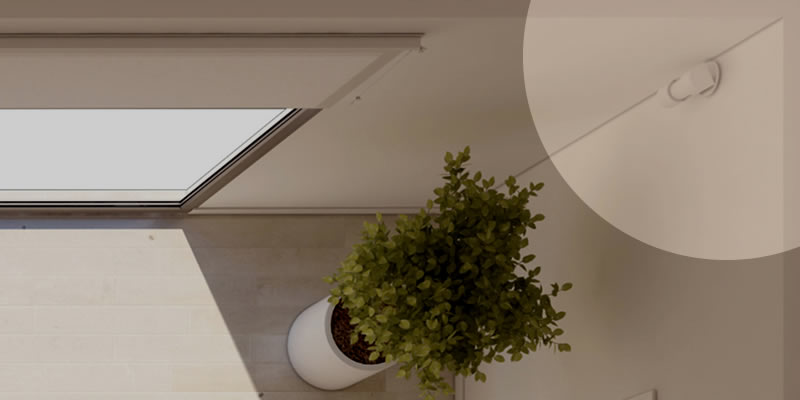
Occupancy Monitoring

Occupancy Monitoring

Improve energy efficiency and safety with non-intrusive sensors that can detect motion, heat, or sound and help automate lighting and HVAC systems.

Universal Remotes

Universal Remotes

Make room technology easier for employees to control by consolidating handheld remotes into one unified interface, whether wall-mounted, tabletop, or standalone.
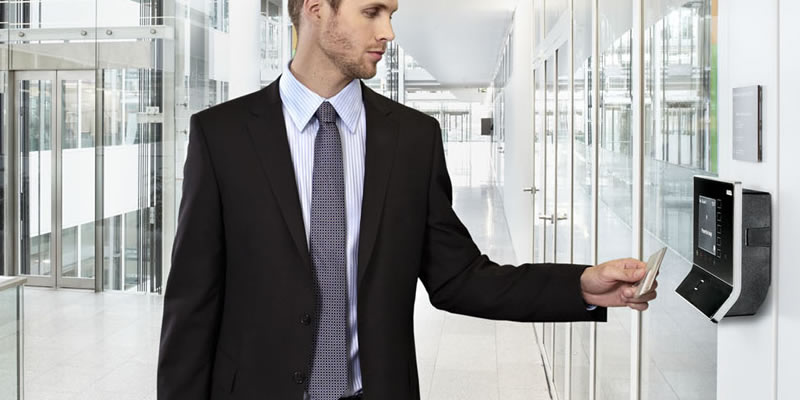
Access Control

Access Control

Support better control of who can access important business spaces with technology that fits into the broader connected room environment.

A/V Calibration

A/V Calibration

Fine-tune audio and video performance so meetings, presentations, and media playback look and sound clear.

Wire & Cable

Wire & Cable

Install properly rated electronic infrastructure to support system requirements and help protect the long-term usability of your building technology.

Connected Technology

Connected Technology

Connect commercial systems and smart devices on your network to support more productive business operations.

Network Security

Network Security

Help protect your data and business technology with a secure network foundation.
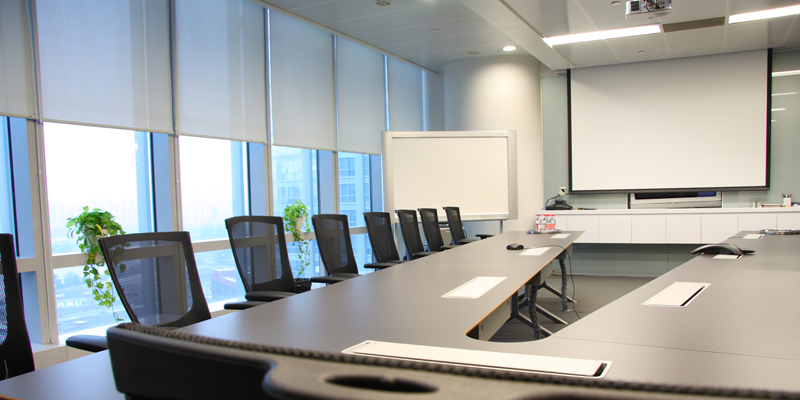
Interactive Whiteboard

Interactive Whiteboard

Encourage more engaging presentations, brainstorming sessions, and collaboration with interactive whiteboard technology.

CONFERENCE ROOM AUTOMATION

Conference room automation is not just about adding more devices to the space. It is about connecting the room’s technology so meetings are easier to start, easier to manage, and less dependent on guesswork.

With a tap on a touchscreen, smartphone, or remote, the room can shift into the right environment for the meeting at hand. For a client presentation, one command can lower the shades, adjust the lights, turn on the projector, and launch the presentation. In a virtual meeting, teleconferencing equipment, microphones, speakers, and video displays can work together so participants can focus on the conversation rather than the setup.

The right conference room system can reduce employee training needs, prevent unnecessary IT interruptions, and deliver a more polished experience for clients, stakeholders, and internal teams. For businesses in Minnesota, including Minneapolis, Plymouth, Deephaven, Minnetonka, Edina, and surrounding communities, a smart boardroom demo offers a practical way to evaluate how conference room technology could work before moving forward with installation.

Ready to see the experience in person? Schedule a smart boardroom demo or consultation to discuss your conference room goals.

FAQ

What can I see in the smart boardroom demo?

The demo gives you a closer look at how conference room automation can bring displays, lighting, audio, video conferencing, shades, controls, and connected systems into one easier-to-use environment. It is designed to help you understand how these technologies work together in a real boardroom setting.

Who is this demo best suited for?

This experience is ideal for business owners, IT directors, operations managers, corporate decision-makers, architects, and commercial designers evaluating conference room technology. It is especially useful for teams that want to see how a system may function before committing to a larger installation.

Can conference room automation help reduce meeting setup issues?

Yes, when designed well, automation can simplify routine meeting actions such as launching a presentation, joining a video call, adjusting lights, and lowering shades. The goal is to make the room easier for employees and guests to use without needing extensive technical support.

Do you support commercial conference room projects in Minneapolis and nearby Minnesota communities?

We’ve helped businesses throughout Minnesota, including Minneapolis, Plymouth, Deephaven, Minnetonka, Edina, and surrounding areas. Use our consultation as a starting point to discuss whether your location and project needs are a fit.

Can smart boardroom technology be planned for new construction or existing spaces?

Conference room systems may be considered for both new commercial designs and upgrades to existing spaces. The right approach depends on the room, the infrastructure, the meeting goals, and the technology already in place.

What types of technology can be included in a conference room system?

A system may include video conferencing, presentation displays, interactive whiteboards, hidden audio, lighting control, motorized shades, HVAC integration, networking, phone systems, access control, and centralized distribution.

How do I know which boardroom technologies my business actually needs?

A consultation can help clarify how your team uses the space, where meetings currently break down, and which technologies would provide the most practical value. The demo gives you a clearer way to compare possibilities before deciding on a direction.

Subscribe to Inspiration
Stay up to date on the latest smart technology ideas and innovations.
Loading form...